


Gowebkart Campaigns

Bulk Email Marketing Software to Buy or Subscribe

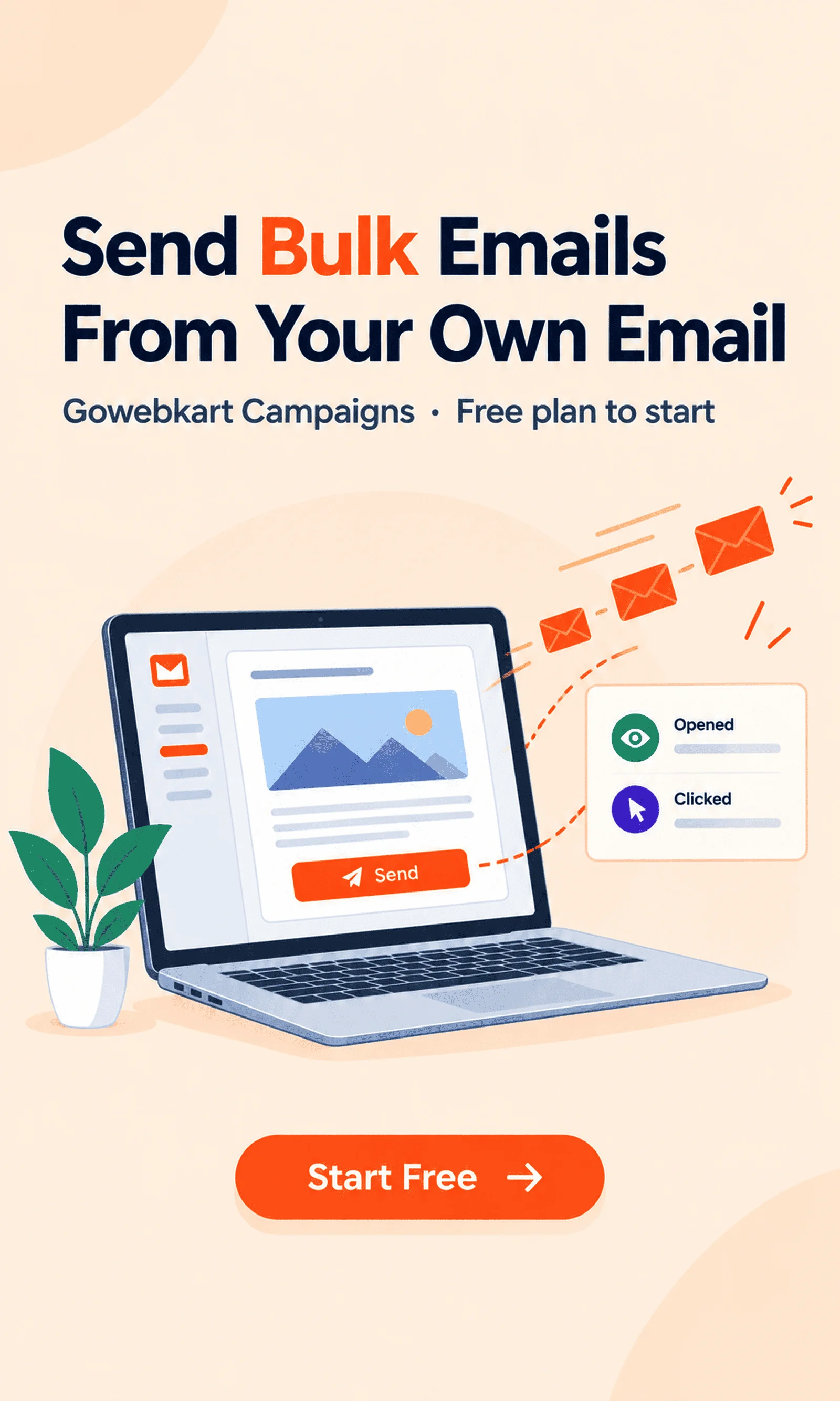
Reach all your customers from one place, from the email address you already use. With Gowebkart Campaigns you connect your Gmail, Outlook, Zoho or any SMTP account, upload your contact list, build a good-looking email from a template, send it to everyone at once or at a time you choose, and then see who opened it and clicked. Start on the free plan, subscribe as you grow, or buy the application and we set it up for you.

  • Free plan · up to 5 lakh contacts
  • Sends from your own email account
  • Excel & CSV import, 50,000 rows a file
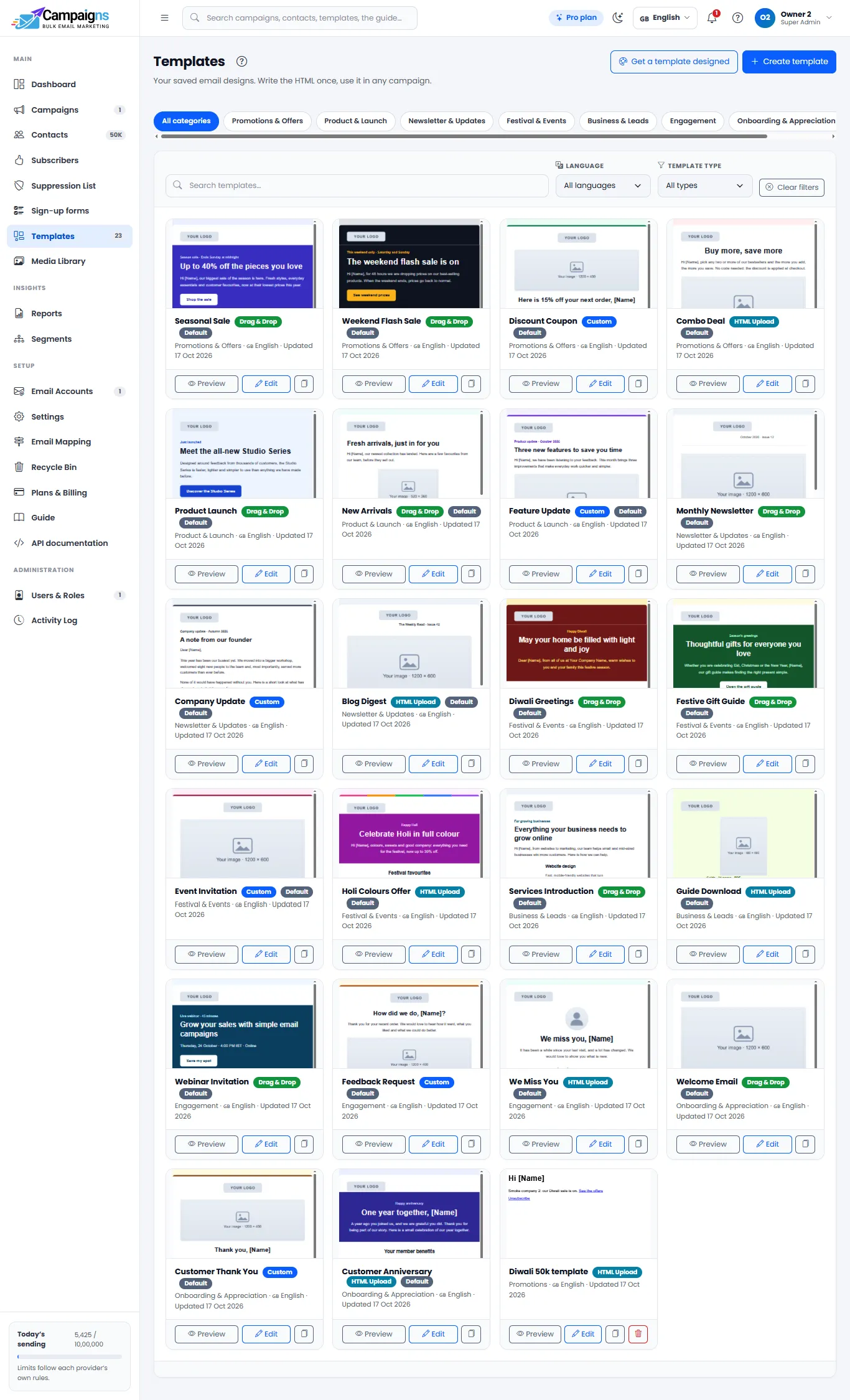
  • 22 ready templates & drag-and-drop builder
  • Send now or schedule
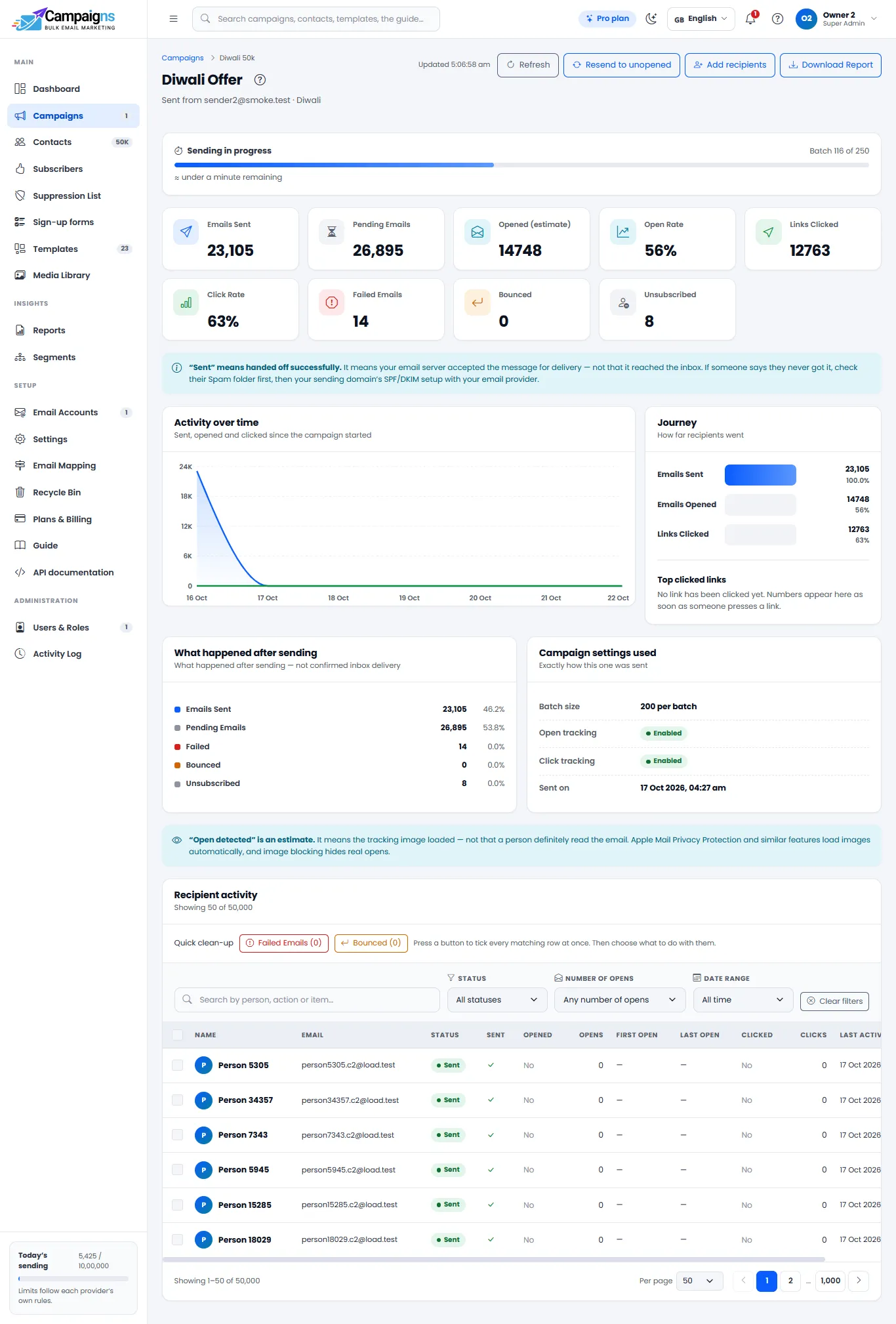
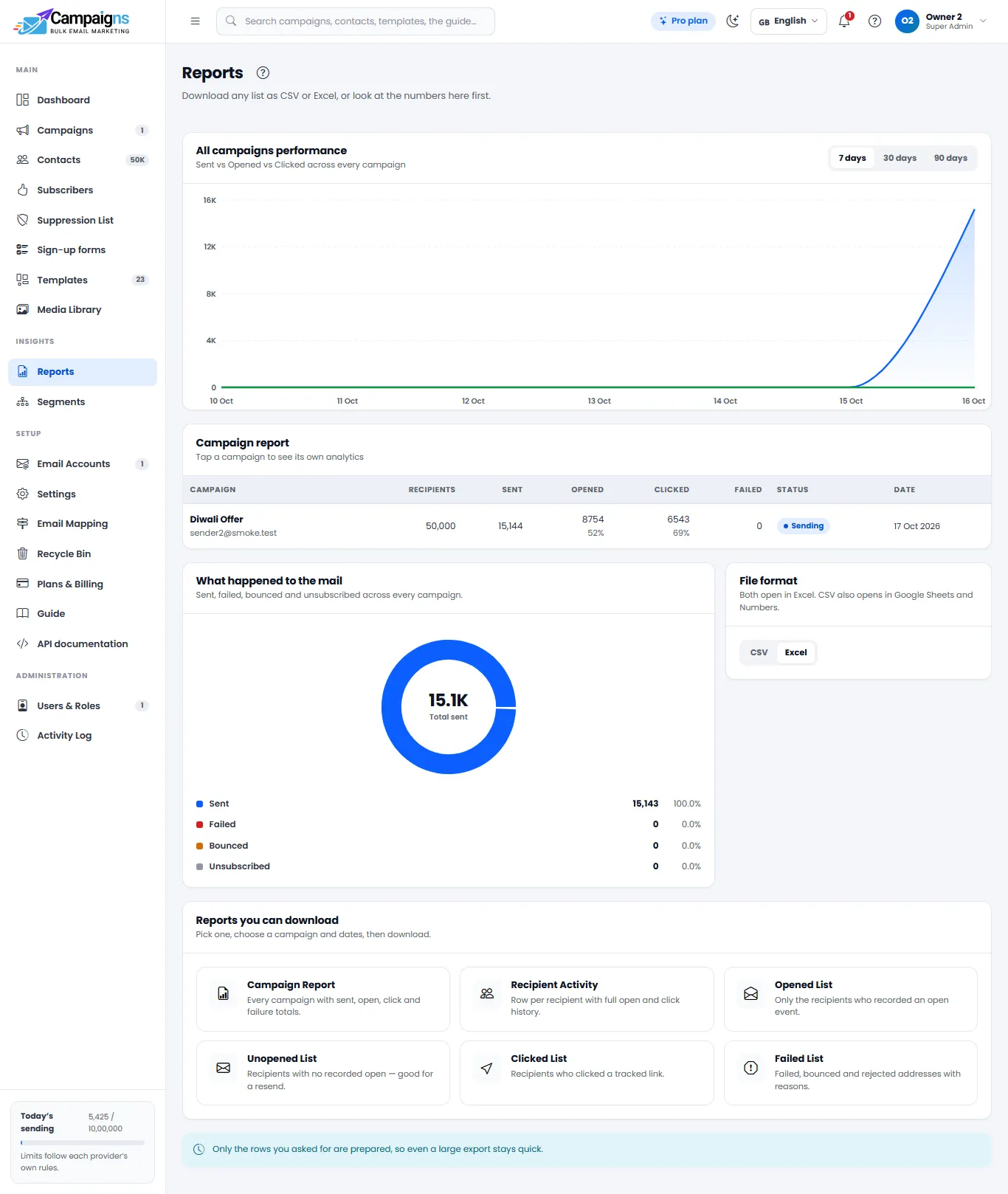
  • Open & click reports
  • API, webhooks & WooCommerce
  • 21 languages
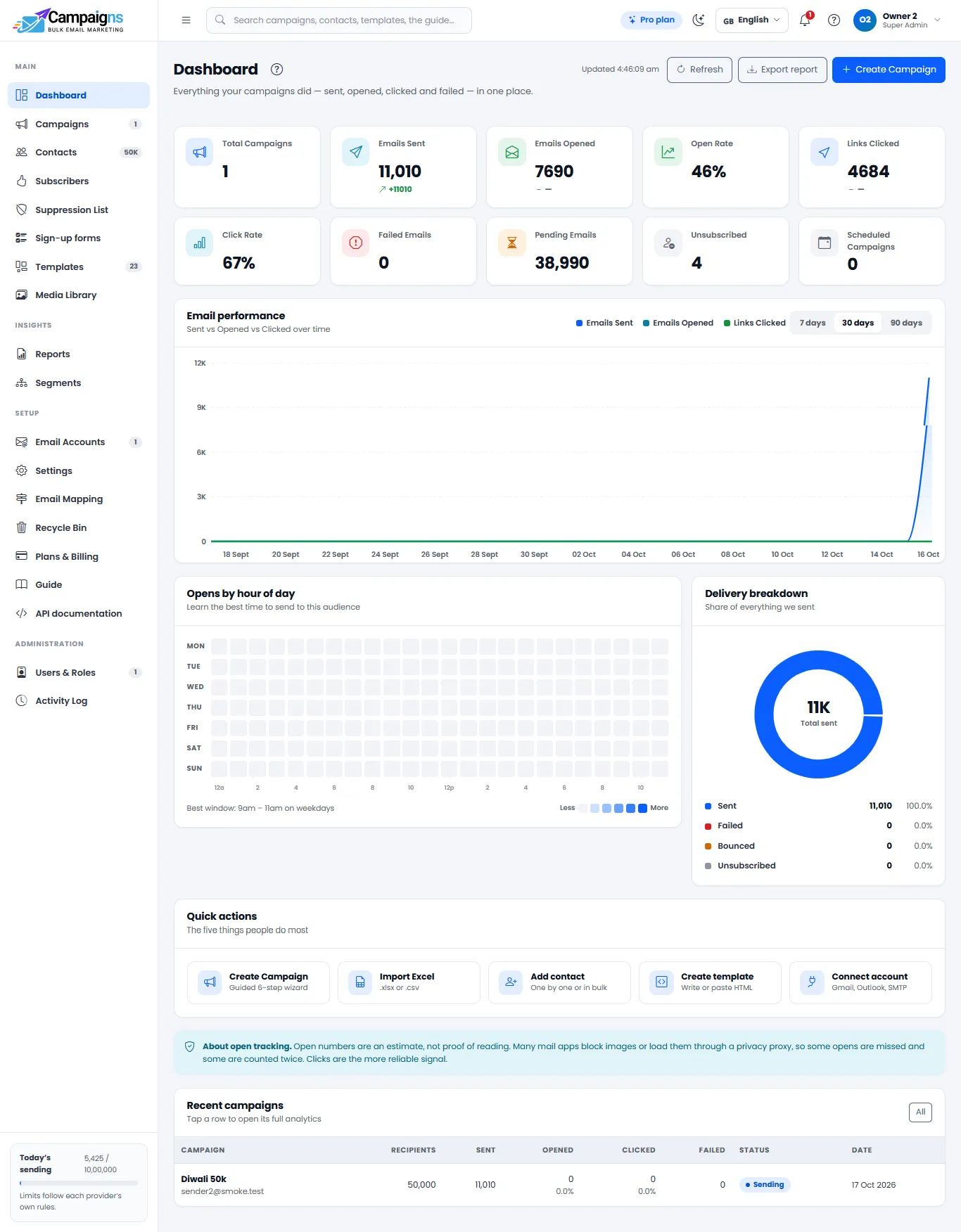
Gowebkart Campaigns dashboard with email campaign results

Features

Everything You Need to Run Email Campaigns

Five parts that take you from a contact list to a finished campaign, its results and the tools around it.

Bring all your contacts in one go

Most businesses already keep customer details in a spreadsheet. Upload that Excel or CSV file and your contacts are ready to use, without typing them in one by one. Broken addresses and duplicates are counted and skipped for you.

  • Import from Excel or CSV, up to 50,000 rows per file
  • Groups, tags and your own custom fields (city, course, product)
  • Website sign-up forms with double opt-in add subscribers by themselves
  • Bounced and unsubscribed addresses are blocked automatically
  • Recycle Bin keeps deleted contacts for 30 days; export or erase anyone on request
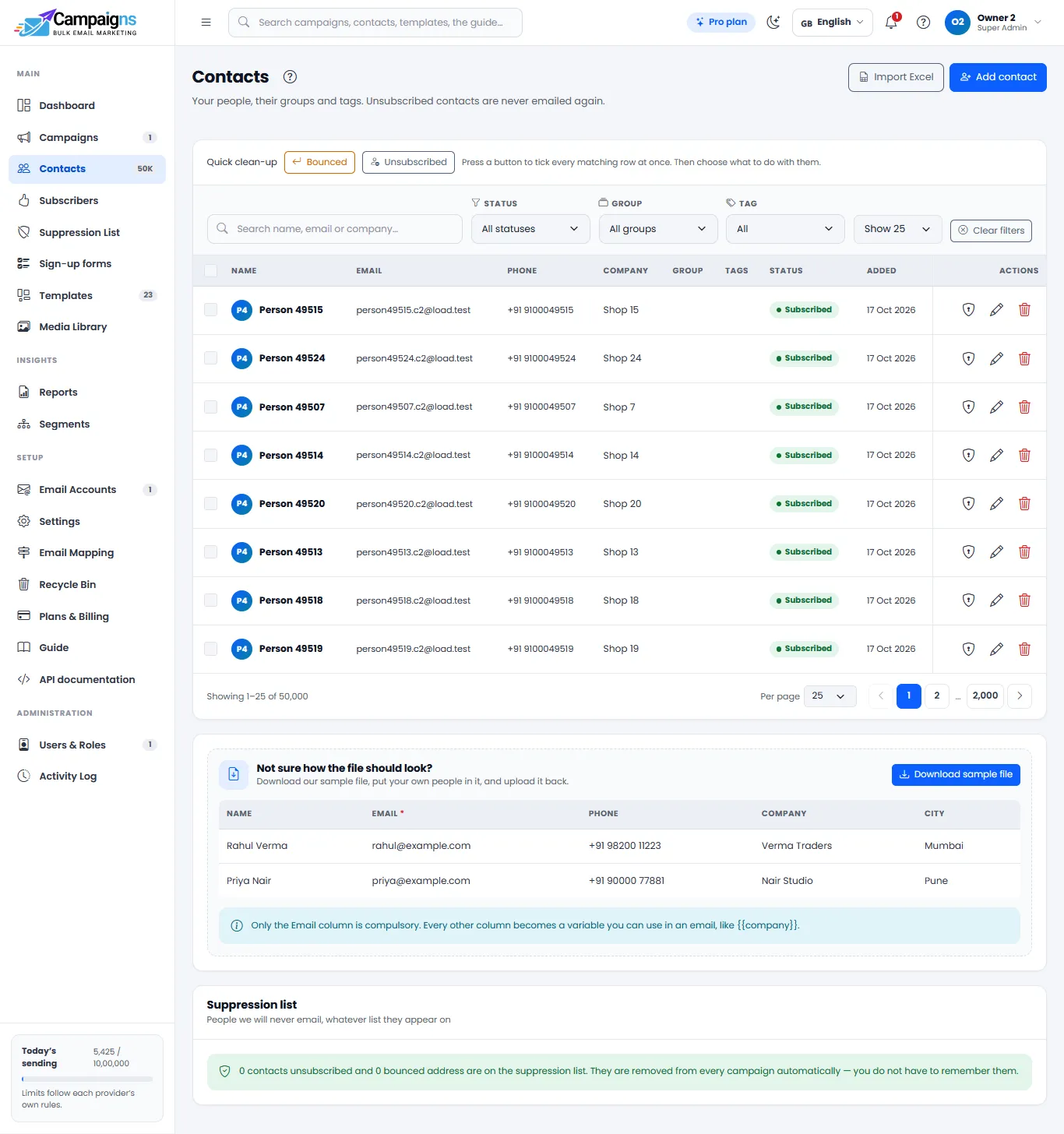
Contact lists imported from Excel in Gowebkart Campaigns

Pricing options

Two Ways to Get Gowebkart Campaigns

Pay as you go with a subscription, or buy the email marketing software and make it your own.

  • Subscription (SaaS)

    Use Gowebkart Campaigns online on a plan. Sign in from any browser and start sending, with nothing to set up on your side.

    • Works in the browser, nothing to install
    • Sends through your own email account, so there is no extra per-email sending charge
    • Start free, upgrade to Starter, Growth or Pro when you grow (up to 5,00,000 contacts)
    • Pay monthly, every 6 months (10% off) or yearly (2 months free); in ₹ or US$
    • All features: contacts, templates, bulk send, scheduling and reports
    See the plans

Plans & pricing

Gowebkart Campaigns Plans: Free, Starter, Growth and Pro

Start free and upgrade as your list grows, up to 5,00,000 contacts. Choose your contact limit and pay monthly, every 6 months (10% off) or yearly (2 months free); every plan includes templates, scheduling and reports, with no per-email sending charge.

Billing period

Currency

  • Free

    Free for ever, for small lists.

    ₹0Free for ever

    • Up to 500 contacts
    • 2,000 emails a month
    • 200 emails a day
    • 1 team member
    • 1 email account
    • 20 MB image storage
    • 3-month open & click history

    Includes:

    • Connect your own email account (Gmail, Outlook, Zoho, SMTP)
    • Excel / CSV contact import
    • 22 ready templates and all four editors
    • Send now or schedule
    • Open tracking and basic reports
    • Sign-in security and 21 dashboard languages
    • Recycle Bin, data export and erase
    Start free
  • Starter

    For small businesses starting with email.

    ₹99/month, billed monthly

    • Up to 500 contacts
    • 5,000 emails a month
    • 3 team members
    • 3 email accounts
    • 50 MB image storage
    • 6-month open & click history

    Everything in Free, plus:

    • Click tracking (which links were clicked)
    • Advanced reports: Excel / CSV downloads, opens heatmap, top links, each recipient’s timeline
    • A/B testing
    • Saved segments
    • Custom team roles
    • No “Sent with Campaigns” line in your emails
    Choose Starter
  • Pro

    For big lists and busy marketing teams.

    ₹249/month, billed monthly

    • Up to 500 contacts
    • Unlimited emails
    • 20+ team members
    • 20+ email accounts
    • 50 MB image storage
    • 12-month open & click history

    Everything in Growth, plus:

    • WhatsApp support
    • One-time setup help call
    • 1 email template designed for you each month
    Choose Pro

Pay by bank transfer or UPI (in dollars from outside India) from inside the app; the plan starts as soon as the payment is confirmed and the invoice is emailed to you. Renewing adds the new period after the current one. Upgrading starts the bigger plan the same day, and the unused days you already paid for come off its price. Image storage is total space for your images (not a monthly allowance); add an extra storage pack any time. Full details of every plan, limit and feature are in the guide: Plans & what each includes

Who it’s for

Who Can Buy Gowebkart Campaigns

Whether you want to grow your own sales or earn by sending campaigns for others, the software is yours to use.

  • Business Owners

    Send offers and updates to your own customers whenever you want and bring in more repeat sales.

  • Your Own Email Marketing Business

    Buy the application and offer bulk email campaigns to your clients as a paid service under your business.

  • Students

    Learn email marketing hands-on with real software and turn it into a skill you can earn from.

  • Freelancers & Marketers

    Plan, send and report on email campaigns for the clients you already work with, from one tool.

  • Online Stores & Retailers

    Tell shoppers about new arrivals, sale days and restocks, and bring past buyers back to your store.

  • Schools & Coaching Institutes

    Share admission news, results, fee reminders and event notices with parents and students in one go.

How it works

Your First Campaign in Four Steps

From a spreadsheet of contacts to a sent campaign and its report.

  1. Connect & Import

    Connect your email account, then upload your Excel or CSV file and group the contacts.

  2. Design the Email

    Pick one of 22 templates or build your own, and add your message, images and buttons.

  3. Send or Schedule

    Choose a group, send a test to yourself, then send right away or set a date and time.

  4. Check Reports

    See opens, clicks, bounces and unsubscribes, and plan a better next campaign.

Use cases

What You Can Send with Gowebkart Campaigns

One tool for the emails a business sends every month.

  • Offers & Sales

    Tell every customer about a sale, discount or new stock on the same day.

  • Newsletters

    Share news, tips and updates regularly so customers remember you.

  • Event Invitations

    Invite guests to a launch, webinar, workshop or open day.

  • Festive Greetings

    Send wishes to all your contacts on festivals and special days.

  • Order & Cart Emails

    Order confirmed, order shipped and cart reminders from your shop, with your own templates.

  • Welcome & Sign-up Emails

    Greet every new subscriber from your website form the moment they confirm.

  • Reminders & Follow-ups

    Fee reminders, renewal notices and a follow-up to the people who clicked or did not open.

  • Product Launches

    Announce a new product, service or course to your whole list, with an A/B test on the subject line.

See Gowebkart Campaigns in Action

Open the live demo to explore the app yourself. When you are ready, call us to buy the application or to choose a subscription plan.

Get in touch

Talk to Us About Gowebkart Campaigns

Fill in the form to buy the email marketing software, start a subscription, or get a custom application built for your business. Our team will get back to you.

I am interested in

By sending this form you agree to our Privacy Policy.

FAQ

Gowebkart Campaigns FAQs

Gowebkart Campaigns is an email marketing web application made by Gowebkart. It lets a business import contacts, create emails from templates, send bulk email campaigns or schedule them, and see open and click reports.

Gowebkart Campaigns is made by Gowebkart, a web design and software company in Delhi, India. It is available to businesses in India and worldwide, and the dashboard works in 21 languages.

The Free plan costs nothing and never ends (500 contacts, 2,000 emails a month). Paid plans are priced by how many contacts you manage: Starter from ₹99 a month, Growth from ₹159 and Pro from ₹249 for 500 contacts. Pay monthly, every 6 months (10% off) or yearly (12 months for the price of 10). See the Plans & pricing section on this page for every size.

Free covers 500 contacts. Starter goes up to 1,00,000 contacts; Growth and Pro go up to 5,00,000. Each size allows 10 emails a month per contact (Pro has unlimited emails) and comes with its own image storage, from 50 MB up to 2 GB (every size from 2 to 5 lakh has 2 GB). For more than 1,00,000 contacts choose Growth or Pro.

Yes. Companies outside India see their prices in US dollars and pay in dollars by PayPal, Wise or international bank transfer. No Indian GST is added and the invoice is in USD. Starter starts at $1.49, Growth at $1.99 and Pro at $2.99 a month for 500 contacts.

The bigger plan starts the same day your payment is confirmed, and the days you already paid for but will not use come off its price, so nothing is wasted. The pay window and the invoice show the price, this credit and what you pay. Moving to a smaller plan is not refunded: it starts when your current paid period ends, and you keep the bigger plan until then.

Image storage is the total space for your pictures, not a monthly allowance: renewing keeps the same space with your images in it. When it is full nothing is deleted; new uploads stop until you delete images you no longer need, add an extra storage pack (from ₹49 for 50 MB) or move to a bigger plan.

The Gowebkart Knowledge Base has the complete Campaigns guide, A to Z: every page of the app, step-by-step flows, the 21 languages and what each plan includes. Open gowebkart.in/knowledge-base/.

Yes. Gowebkart sells the application itself, so a company or an individual can purchase it for their own use. If you prefer not to buy, you can use it on a subscription plan instead.

Yes. When you buy Gowebkart Campaigns, our team does the complete setup and hands it over ready to use, so you can start sending campaigns without any technical work.

Yes, if you need it. Tell us at the time of purchase and we will give you the source code along with the application.

Yes. Purchase the application, then send bulk email campaigns for your clients as a service. It suits students, freelancers and anyone who wants to start an email marketing business.

A subscription suits you if you want to start quickly and pay as you use it. Buying suits you if you send campaigns regularly and want the software as your own. Call us and we will help you decide.

Bulk email marketing means sending one email, such as an offer or a newsletter, to a large list of contacts at the same time. It is a low-cost way to stay in touch with customers and bring them back to your business.

No. Gowebkart Campaigns is a web application, so you open it in your browser and sign in. There is no software to install on your computer.

Upload an Excel or CSV file (up to 50,000 rows per file), type people in one by one, let a sign-up form on your website add them, or add them through the API. Sort them into groups and tags, for example customers, leads or event guests, and pick a group when you send a campaign.

Yes. Campaigns sends through your own email account, so customers see your real address and replies come back to you. Gmail, Yahoo, Zoho, Microsoft 365, SendGrid, Brevo, Amazon SES and any custom SMTP server can be connected; for bulk email an address on your own domain works best.

Yes, on the Growth and Pro plans: sign-up forms for your website, API keys, webhooks for Zapier, Make and Pabbly, transactional emails from your own code, and a free WooCommerce plugin that sends order, shipping and cart emails with your templates.

Yes. The dashboard works in 21 languages, including Hindi, Hinglish, Gujarati, Marathi, Bengali, Tamil, Telugu, Malayalam, Kannada, Punjabi, Arabic, Spanish, French, German and more. Your emails can be written in any language.

Yes. Choose a date and time when you set up the campaign and it is sent automatically at that time. You can also send it immediately.

Each campaign shows sent, opened, clicked, bounced and unsubscribed, the top clicked links, activity over time and a log for every recipient. The Reports page compares all campaigns, and on the paid plans you can download opened, unopened, clicked and failed lists in Excel or CSV.

Send them only to people who have agreed to hear from you, such as customers or visitors who signed up. Emailing people who never asked for it annoys them and can send your emails to the spam folder.

Try the live demo at campaigns.gowebkart.in, then call +91 99992 79077. We will explain the purchase and subscription options and help you pick the right one.